
The Minimum Tools You Need to Start an Online Business Today
Heads up: this post may contain affiliate links. If you buy through them, I may earn a commission at no extra cost to you. I only recommend what I’d use myself. Full disclosure
The Minimum Tools You Need to Start an Online Business Today
One of the most effective ways to never start an online business is to convince yourself that you need everything perfectly in place before you begin. The right website theme, the best email platform, the most powerful funnel builder, the ideal social media scheduling tool — and suddenly you’ve spent three months researching software instead of building something.
The truth is that you need far less than the online marketing industry wants you to believe. The companies selling tools have a vested interest in making their product feel essential. And while many tools genuinely are useful, the overwhelming majority of them are optimizations for a business that’s already running — not requirements for a business that’s just getting started.
This post is going to cut through the noise and give you the actual minimum toolkit you need to launch and grow a legitimate online business. Everything on this list is either free or available at a low monthly cost. Nothing here is optional — but nothing here is excessive either.
The Philosophy: Start Lean, Upgrade Later
Before we get into the specific tools, it’s worth establishing the guiding principle behind this list.
Start lean. Get to revenue as quickly as possible with the simplest setup that works. Then, as your business grows and generates income, invest in upgraded tools that solve real problems you’ve already encountered.
This approach does two important things. First, it protects your budget during the period when you’re most financially vulnerable — the early stages before revenue is consistent. Second, it forces you to understand your actual needs before spending money on solutions. Many beginners invest heavily in tools for problems they don’t yet have, and end up paying for features they never use.
Start lean. Upgrade intentionally. That’s the framework.
Tool #1: A Domain Name
Your domain name is your address on the internet — and it’s the first thing you need to secure. A domain typically costs between ten and fifteen dollars per year, making it one of the most affordable investments in your entire business.
Choose a domain that is short, memorable, and relevant to your brand or niche. Avoid hyphens, numbers, and anything that’s difficult to spell when heard out loud. Aim for a .com extension whenever possible — it’s still the most trusted and recognized extension globally.
Register your domain through a reputable registrar such as Namecheap, GoDaddy, or Google Domains. Do this before you do anything else — domain availability changes daily, and securing your preferred name early protects your brand.
Tool #2: Web Hosting
Once you have a domain, you need somewhere to host your website. For beginners, shared hosting is more than sufficient and costs anywhere from three to ten dollars per month depending on the provider.
Reputable options include Hostinger, SiteGround, Bluehost, and WP Engine. Look for a host that offers one-click WordPress installation, reliable uptime, and solid customer support. You don’t need a premium managed hosting plan in the beginning — a basic shared plan will handle your traffic levels just fine until your site is generating significant volume.
Tool #3: WordPress
For the vast majority of online businesses — especially blogs, content hubs, and affiliate sites — WordPress is the platform of choice. It powers over 40 percent of all websites on the internet, is completely free to use, and offers unmatched flexibility through its library of themes and plugins.
The combination of your own domain, your own hosting, and a self-hosted WordPress site gives you full ownership and control over your online presence. Unlike website builders that lock you into their ecosystem, WordPress lets you move, modify, and scale without restriction.
Install a clean, fast-loading theme — free options like Astra or GeneratePress are excellent starting points — and keep your plugin count minimal until you have a clear reason to add more.
Tool #4: An Email Marketing Platform
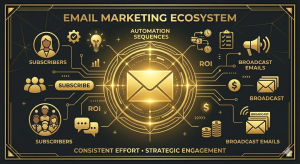
If there is one tool on this list that you absolutely cannot skip, it’s this one. Your email list is the most valuable asset in your online business, and you need a platform to build and manage it from day one.
Fortunately, most email marketing platforms offer free plans that are more than adequate for beginners. GetResponse, AWeber, MailerLite, and ConvertKit all offer entry-level plans that allow you to collect subscribers, send broadcasts, and set up basic automation sequences without spending anything until your list reaches a certain size.
Set up your email platform before you launch your website. Create a simple opt-in form and a basic welcome sequence. Every visitor who lands on your site is a potential subscriber — and every subscriber you fail to capture is a missed opportunity to build a lasting relationship.
Tool #5: A Landing Page or Opt-In Page Builder
To grow your email list effectively, you need a dedicated landing page — a focused, distraction-free page designed specifically to capture email addresses in exchange for a lead magnet or free resource.
Many email marketing platforms include a basic landing page builder as part of their free or low-cost plans. Alternatively, WordPress plugins like Elementor or Thrive Architect give you powerful page-building capabilities directly within your website.
For absolute beginners, starting with the landing page tools built into your email platform is the simplest approach. You can upgrade to a dedicated funnel builder later, once you understand exactly what you need from one.
Tool #6: A Lead Magnet
Technically not a software tool, but functionally essential — your lead magnet is the free resource you offer in exchange for a visitor’s email address. Without something compelling to offer, your opt-in rates will be low regardless of how well-designed your landing page is.
Your first lead magnet doesn’t need to be elaborate. A focused, actionable PDF guide, a simple checklist, a resource list, or a short email mini-course is more than enough to get started. The key is that it addresses a specific, pressing problem your target audience has — and delivers genuine value.
Create your first lead magnet in Canva, Google Docs, or Microsoft Word. Keep it simple, keep it focused, and get it in front of people as quickly as possible. You can always create more sophisticated lead magnets later.
Tool #7: A Basic Graphic Design Tool
You’ll need the ability to create basic graphics for your website, social media, YouTube thumbnails, lead magnets, and other visual assets. For most beginners, Canva is the obvious choice.
Canva’s free plan is genuinely powerful — it includes thousands of templates, a drag-and-drop editor, and the ability to create virtually any type of marketing graphic without any design experience. You can create professional-looking thumbnails, social media posts, ebook covers, and opt-in page graphics entirely within the free version.
Once your business is generating consistent revenue and you need more advanced capabilities, upgrading to Canva Pro is a reasonable investment. But the free version will take you a long way.
Tool #8: An Analytics Tool
You can’t improve what you don’t measure. From the moment your website goes live, you need to be tracking basic metrics — traffic volume, traffic sources, most visited pages, and user behavior on your site.
Google Analytics is free, powerful, and the industry standard for website analytics. Pair it with Google Search Console — also free — to monitor your search rankings, identify which keywords are driving traffic, and spot technical issues affecting your site’s performance.
Setting these up takes less than an hour and gives you data that will inform every content and optimization decision you make going forward.
What You Don’t Need Yet
Just as important as knowing what you need is knowing what you don’t need — at least not yet.
You don’t need a dedicated funnel builder like ClickFunnels or Kartra until you have a product to sell and a proven offer to funnel traffic toward. You don’t need a course platform until you’ve created a course. You don’t need a social media scheduling tool until you have a consistent content calendar worth scheduling. You don’t need a CRM, a help desk platform, or project management software until you have a team or a volume of customers that justifies them.
These are all useful tools at the right stage of business. The key word is right stage. Using them before you need them adds cost, complexity, and distraction without adding value.

Your Starter Toolkit at a Glance
To summarize, here is everything you need to launch a legitimate online business today:
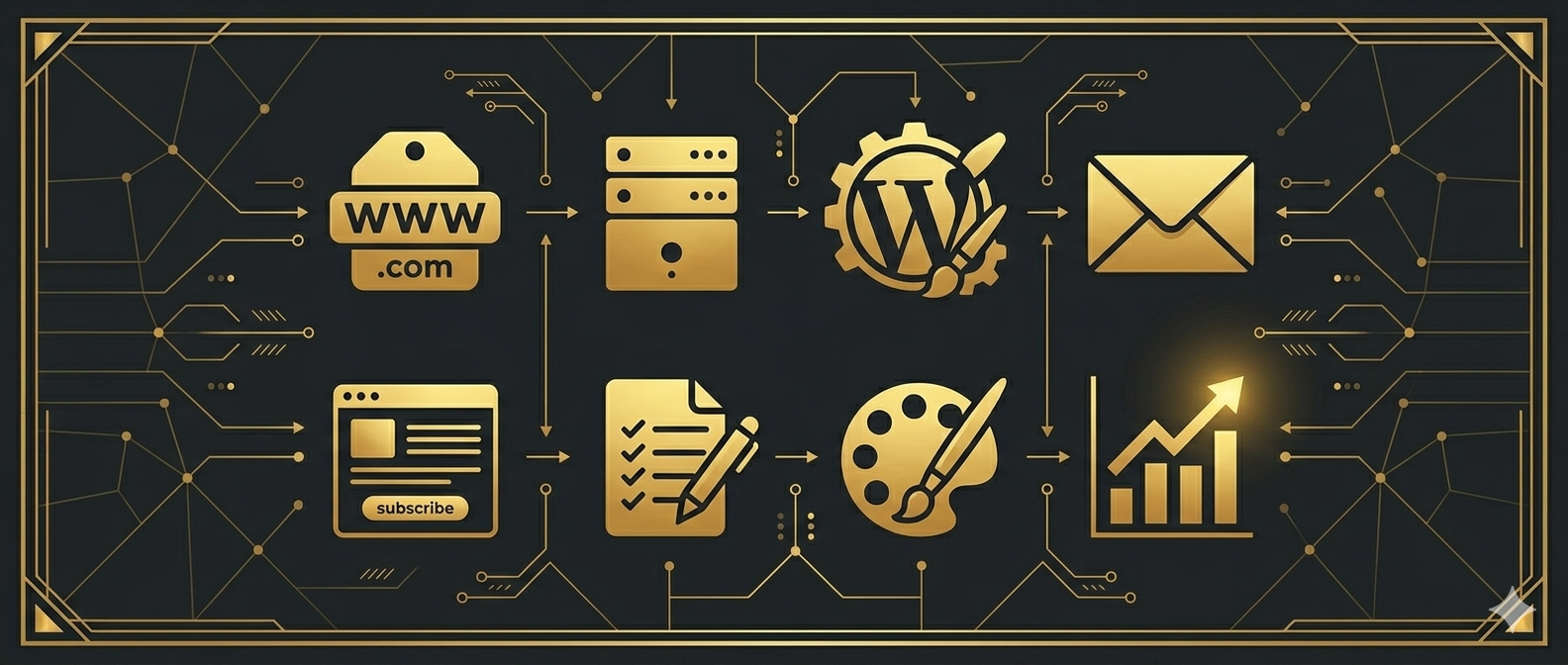
- A domain name — approximately $10 to $15 per year
- Web hosting — approximately $3 to $10 per month
- WordPress — free
- An email marketing platform — free to start
- A landing page builder — included with most email platforms
- A lead magnet — free to create with Canva or Google Docs
- Canva for graphics — free
- Google Analytics and Search Console — free

Your total startup cost using this lean stack is somewhere between three and ten dollars per month for hosting, plus the annual cost of your domain. Everything else is free until your business grows to the point where paid upgrades make sense.
There is no excuse — financial or otherwise — for not starting today.
Ready to start building? Check out the latest recommendations, reviews, and tutorials at Profit With Bob — and pick up your free resource to help you take your first step. Grab it here.